
- The Terminator
- T2: Judgment Day
- T2:3D B.A.T
- T:SCC
- T3: Rise of the Machines
- T4: Salvation
- T5: Genesis
- T6: ?!






Icons and smileys
Main info
Over the years we've seen icons here and there and collected a few for all interested in sharing them back on message boards, through instant messaging services like MSN, to use as buddy icons, as shortcut icons on your computer or on your own website. Icons... one of the oldest crafts on the internet, now also available in our beloved subject!
Once in a while we find more icons, pixel art or smileys. We add them to the archives as shown below, soo the number depicted behind the download are the total images available within the zip. More to come in due time.
© Various unknown parties / Warner Bros.
Icons
Icons to enhance your desktop, windows interface, or to revamp into icons used on forums or other online resources.
 |
T3 Buddy Icons (23) Download | By Warner Bros. |
|
 |
T3 PC Icons (20) Download | By Warner Bros. |
|
 |
Various Icons (1) Download | By various unknown |
|
Pixel art
Small pixelated images. Not just rescaled images or photographs, but pixel by pixel designed little icons.
 |
Pixel Art (17) Download | By various unknown |
Smileys
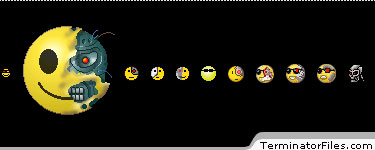
Originaly only when typed, for instance a :-) or a |:(. But over time they've become graphics, animated gifs and lots of other sorts of images. And being the Terminator fans we are... here are some of the best Terminator related smileys! Enjoy ;)
 |
Smileys (13) Download | By various unknown |
Instructions
Download, unzip and use the following intall instructions for multiple purposes.
- Open an MSN instant message window.
- Click on the arrow next to the smiley emoticon.
- Click on 'My Custom Emoticons' then 'Add'
- Click 'Find Image' then browse to the saved file.
- Enter a 'Keyboard Shortcut'.
- Press OK! Then you're done!
For message boards:
- Upload the Emoticon to your web server.
- Call it up either using the img tag or a special shortcut if you can.
For Windows XP:
- Put them in a directory where you won't move them, such as C:\icons, or in your My Documents directory. If you move the icon files, Windows won't know where to find them after you've applied them to a file or folder.
- Right-click on the folder or file you want to use the icon on, and select 'Properties'.
- Switch to 'Customize' tab and select 'Change Icon'.
- Click on 'Browse', and find the .ico file you want to use.
- Hit the OK button on all of the open dialog boxes.
For Windows prior to XP:
- Put them in a directory where you won't move them (see above).
- In Windows versions before XP, you can only change the individual icons of certain files, these include: Shortcuts and Internet Shortcuts.
- Right-click on them and select 'Properties'.
- Go to the 'Shortcut' or 'Web document' tab and select 'Change icon'.
- Browse to the icon you want and click OK.
For others:
- Import it to the media you are using.
Host and share your stuff?!
Are you interested in hosting and sharing your files on TerminatorFiles.com? Want to promote your own stuff for the enjoyment of interested fans and/or other parties? Then get into contact with the STAFF behind the Files! We'll help you promote your own products for sales or free sharing purposes, through this and other sections!
Or... got a personal/commercial project you are working on right this instance (or one from the past)? Then include it in our FanProjects section, with added images, videos, info or whatever else you want to include! Check here for more detailed info!